
There is no Megabahis app in Google Play or the App Store, so phone users rely on the mobile site. Two routes exist: a home-screen shortcut that wraps the website (a PWA), or an APK file for Android. Below we explain both, point out the traps and show what to do when the address changes. The notes reflect the brand's own statements plus what our editors observed, and menu names on your phone may differ. Only adults aged 18 or older should use the service.
- Reaching the Site from a Phone
- Adding a Home-Screen Shortcut (PWA)
- Installing the Android APK
- iPhone and iPad
- Keeping Your Phone Account Safe
- Common Mobile Problems
- FAQ
Reaching the Site from a Phone
The mobile site resizes itself to the screen. Sportsbook, slots, live tables and the free match streams sit behind one login, and the balance you see is identical on every device. The weak spot is the narrow address bar, which cuts the domain short; look-alike pages count on that. Take the address from the verified announcement, type it yourself and glance at the padlock before you sign in.
Adding a Home-Screen Shortcut (PWA)
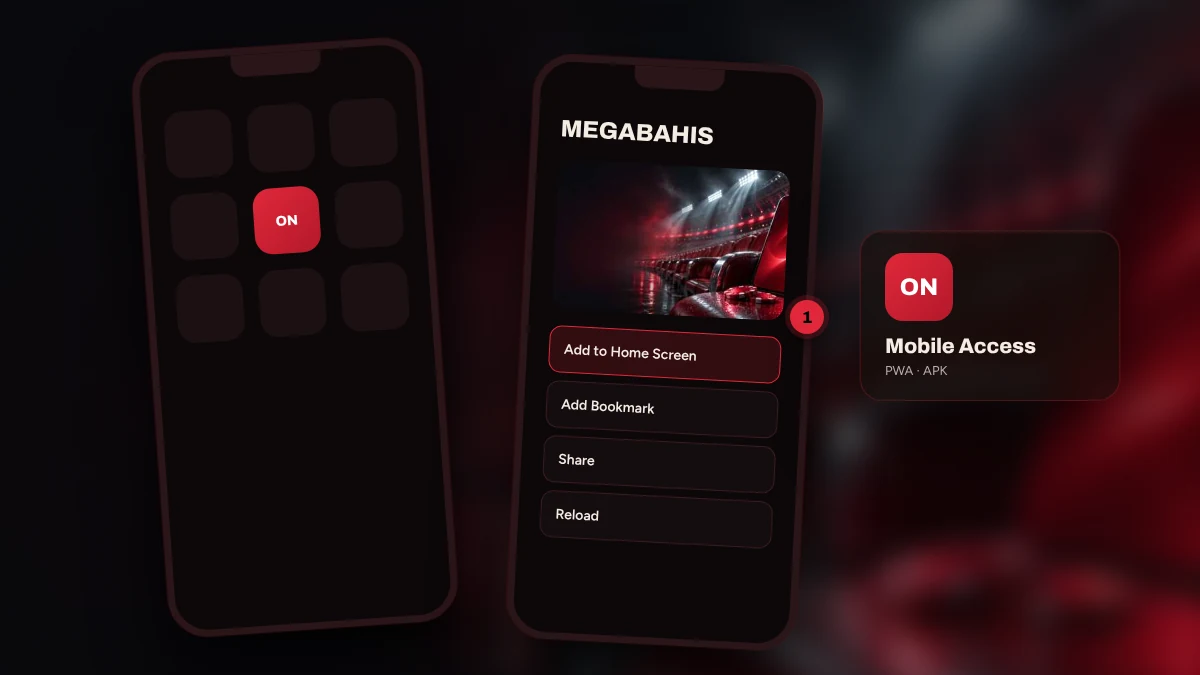
A PWA is simply a website icon that launches full screen. Nothing is installed, no store is involved and you can delete it in a second.
- Type the verified address into the browser and load the page.
- Open the browser menu: the Share button on iPhone, the three-dot menu on Android.
- Choose "Add to Home Screen".
- Accept the suggested name, then tap the new icon once to check that it opens.
A shortcut remembers the domain it was made on. After an address change it keeps pointing at the old one, so remove it, confirm the new address using the current address page and make a fresh icon.
Installing the Android APK
An APK is an install file that does not come from a store. Fetch it only from the pinned post of the verified Telegram or X channel; copies found through search or sent privately may hide malware. Android will ask you to allow installs from unknown sources. Switch that on for the moment of installing and off again straight afterwards. If the file name or its size does not match the post, leave it alone.
Once installed, the app is a thin wrapper around the mobile site, so you sign in with the details you already have. Update it through the same verified channel only. Scanning the file with your phone's security app before opening it is a cheap extra precaution.
iPhone and iPad
iOS has neither an APK nor a store listing. Load the site in Safari, press Share and pick Add to Home Screen; iPad works the same way. Keep iOS updated, since old versions sometimes throw certificate warnings. Other browsers hide the option in different menus, which is why Safari is the safest choice.
Keeping Your Phone Account Safe
Leave the screen lock and biometrics on. Skip deposits on open wifi. Sign out on any shared device and never allow a browser you do not own to save your password. If you lose the phone, first reset the e-mail password and then the account password, using a different device. Allow notifications from the verified channel alone, and refuse SMS access to apps you do not know.
Common Mobile Problems
Page will not load: swap between wifi and mobile data and compare the address with the announcement. Layout looks broken: wipe the browser cache. Shortcut shows an error: delete it and rebuild it. Session drops after a network switch: reload. Stream stutters: lower the video quality. If none of this helps, send a screenshot to live chat.
FAQ
Does Megabahis have a mobile app?
Not in any official store. On a phone you use the browser site, a home-screen shortcut (PWA) or, on Android, an APK. Ignore other files that circulate under the brand's name and rely only on the link in the verified channel's pinned post.
How do I add the home-screen shortcut?
Open the verified address, pick Add to Home Screen from the browser menu and accept the name. iPhone keeps that option under Share, Android under the three dots. The shortcut installs nothing, can be deleted at will and has to be rebuilt whenever the address moves.
Is the Android APK safe?
That depends entirely on where you got it. Use only the link from the verified announcement, compare the size with the post, grant no unneeded permissions and turn unknown-sources off after installing. When in doubt, skip the APK and use the shortcut.
What should I do on my phone if the address changes?
Confirm the new address in the verified channel, remove the old shortcut and create another. Your account and balance are untouched and the same login works. Typing the address by hand each time is the strongest defence against look-alike pages.
Three habits cover phone use: take the address from the channel, build the shortcut yourself and download files only from verified links. Account steps are on the login page and game sections on the games page.
A few links here are partner links and can earn income; ratings follow only the rating method.